AI Image Generation Comparison: 5 Models, 26 Images, Real Results (2026)
TL;DR — 5 Models, 26 Images, Two Benchmarks
We tested GPT (DALL-E 3), Grok Aurora, Nano Banana 2 (Gemini), MiniMax image-01, and CogView-4 across two real production workflows: vintage 1970s Kodachrome film photography (18 images) and iPhone-realistic phone photos for Instagram Reels (8 images).
The biggest differentiator wasn't image quality — it was prompt adherence. Most models produce decent-looking images. Only Nano Banana 2 consistently does what you actually ask. It scored 8.8/10 for vintage photography, 9/10 for crowd scenes, and costs ~$0.02/image. For portraits, MiniMax leads. For an all-rounder, Grok. GPT finished last for both use cases.
Why This Test Matters
Most AI image generation comparisons test generic prompts — "a cat wearing a hat," "futuristic cityscape." That tells you which model makes the prettiest pictures. It doesn't tell you which model follows instructions.
We needed to know something different. We build AI-generated travel itineraries at tabiji, and our Instagram Reels need two very specific types of images: vintage film photographs styled to look like 1970s Kodachrome slides, and iPhone-realistic phone photos that pass as candid tourist shots. Both require strict stylistic control — specific film grain, era-appropriate composition, accurate text rendering, and deliberate "imperfection."
If a model can't follow a detailed brief for vintage Kodachrome, it can't follow a detailed brief for anything. This test is a proxy for prompt adherence across any demanding creative workflow — whether you're building mockups, infographics, social media content, or production imagery at scale.
The 5 Models We Tested
| Model | Provider | Cost/Image | Max Resolution | Tests |
|---|---|---|---|---|
| Nano Banana 2 | Google (Gemini 3.1 Flash) | ~$0.02 | Up to 4K | Kyoto + Verona |
| MiniMax image-01 | MiniMax | ~$0.04 | Up to 2K | Kyoto + Verona |
| CogView-4 | Z.AI (Zhipu AI) | ~$0.02 | 720×1440 | Kyoto only |
| Grok Aurora | xAI | ~$0.07 | Up to 2K | Verona only |
| GPT (DALL-E 3) | OpenAI | ~$0.04–$0.08 | 1024×1792 | Verona only |
We ran two separate benchmarks. Test 1 (Kyoto) tested vintage film photography across 4 iconic landmarks with 3 models — Nano Banana 2, MiniMax, and CogView-4. Test 2 (Verona) tested iPhone-realistic phone photos across 2 scene types with 4 models — adding GPT and Grok while dropping CogView-4.
Test 1: Vintage 1970s Kyoto — Can AI Fake Film Photography?
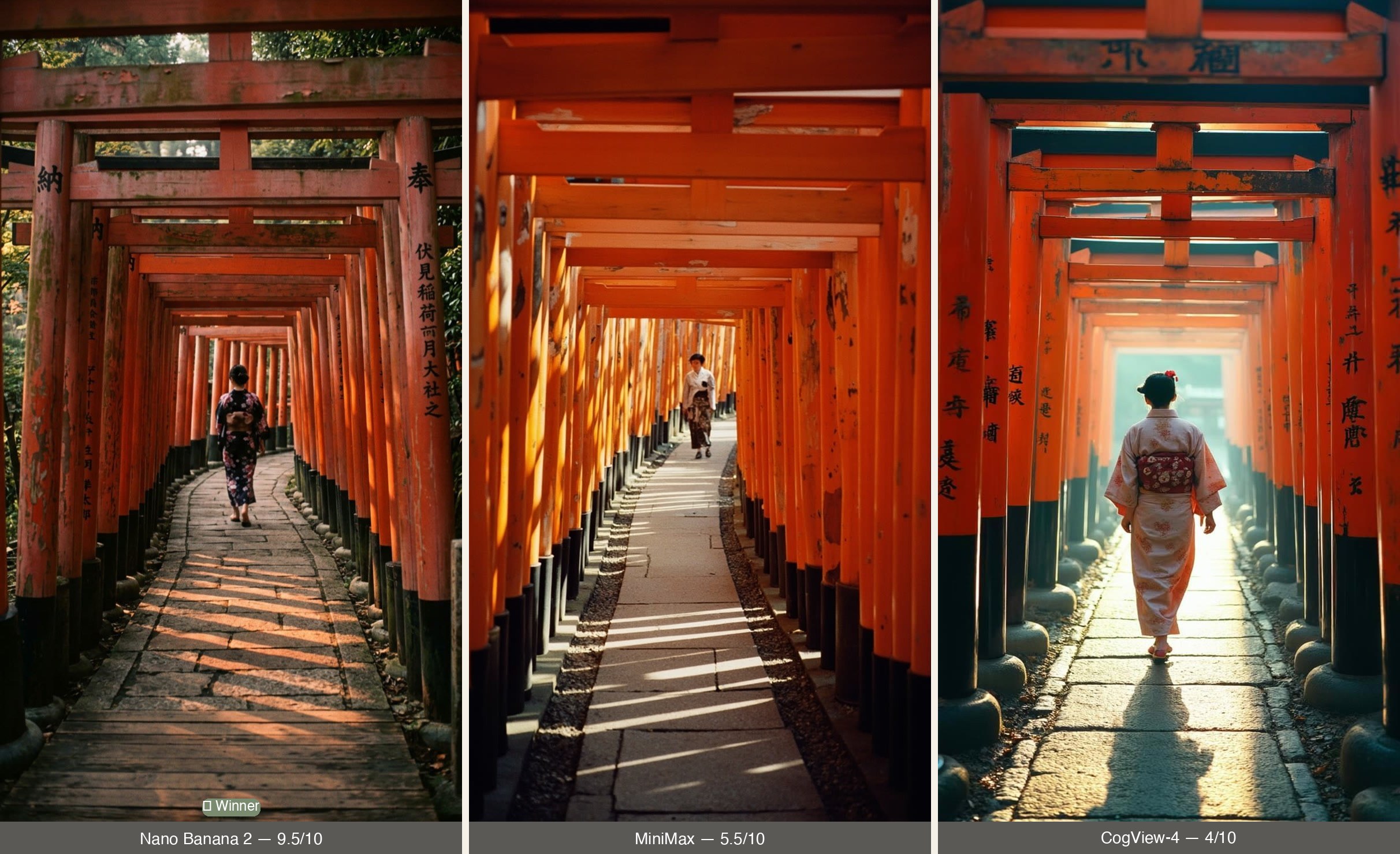
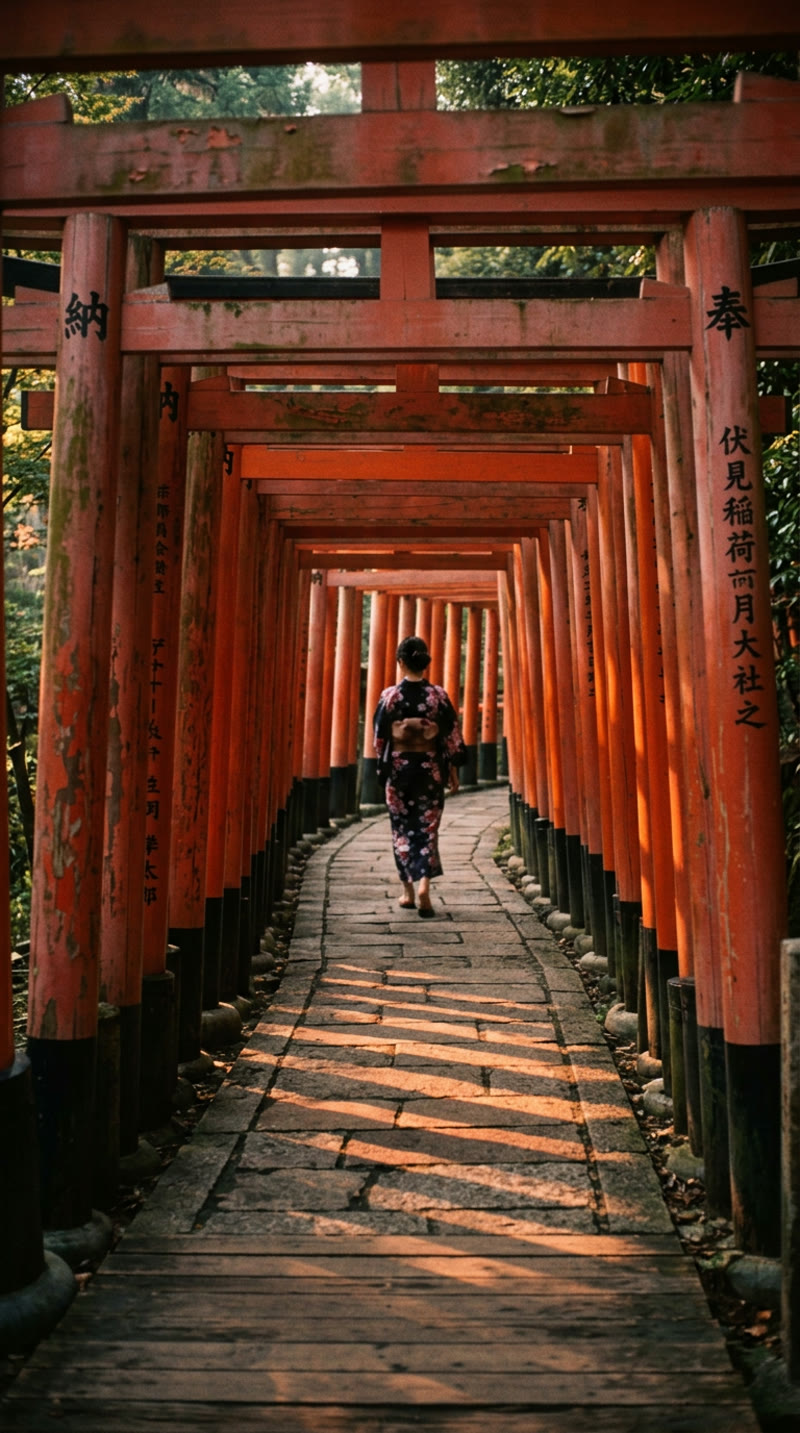
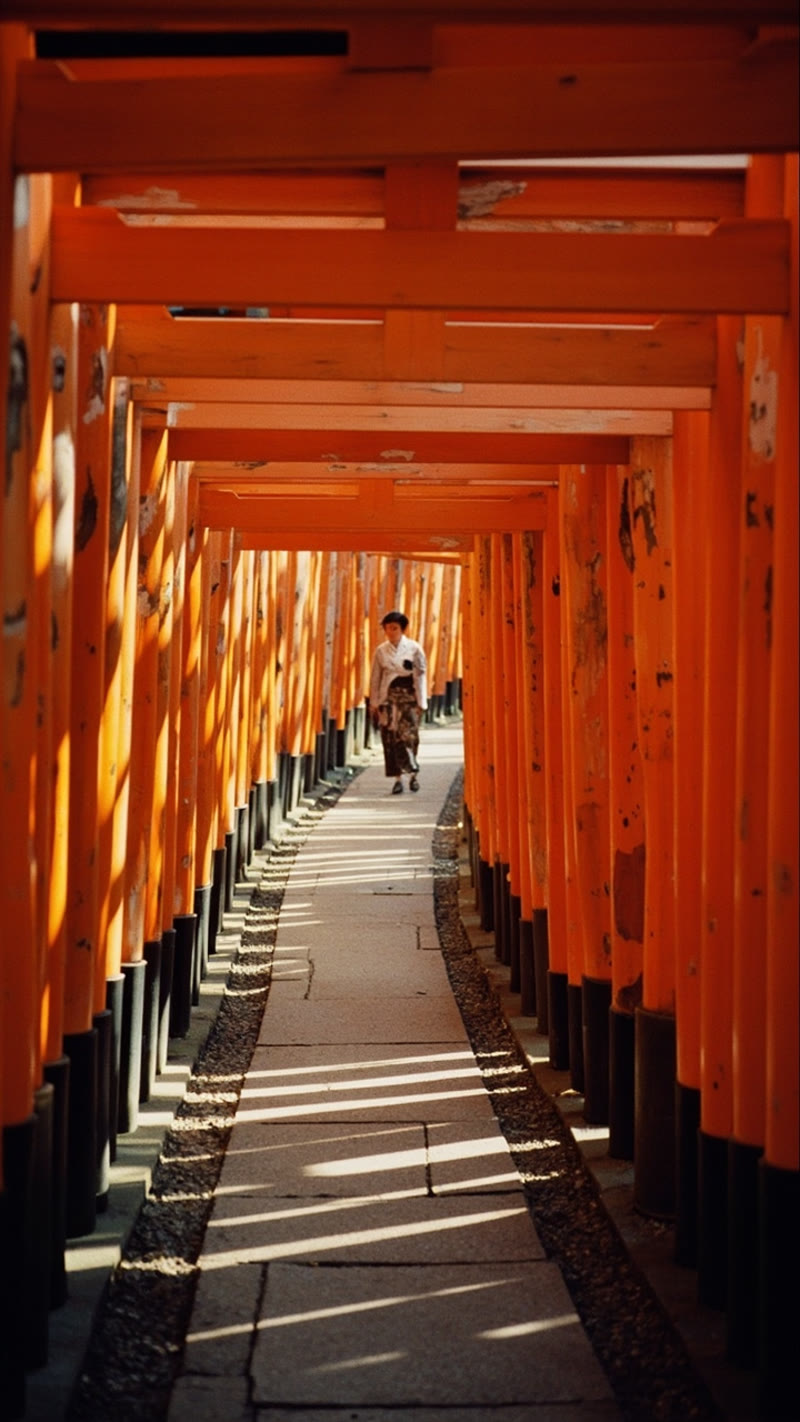
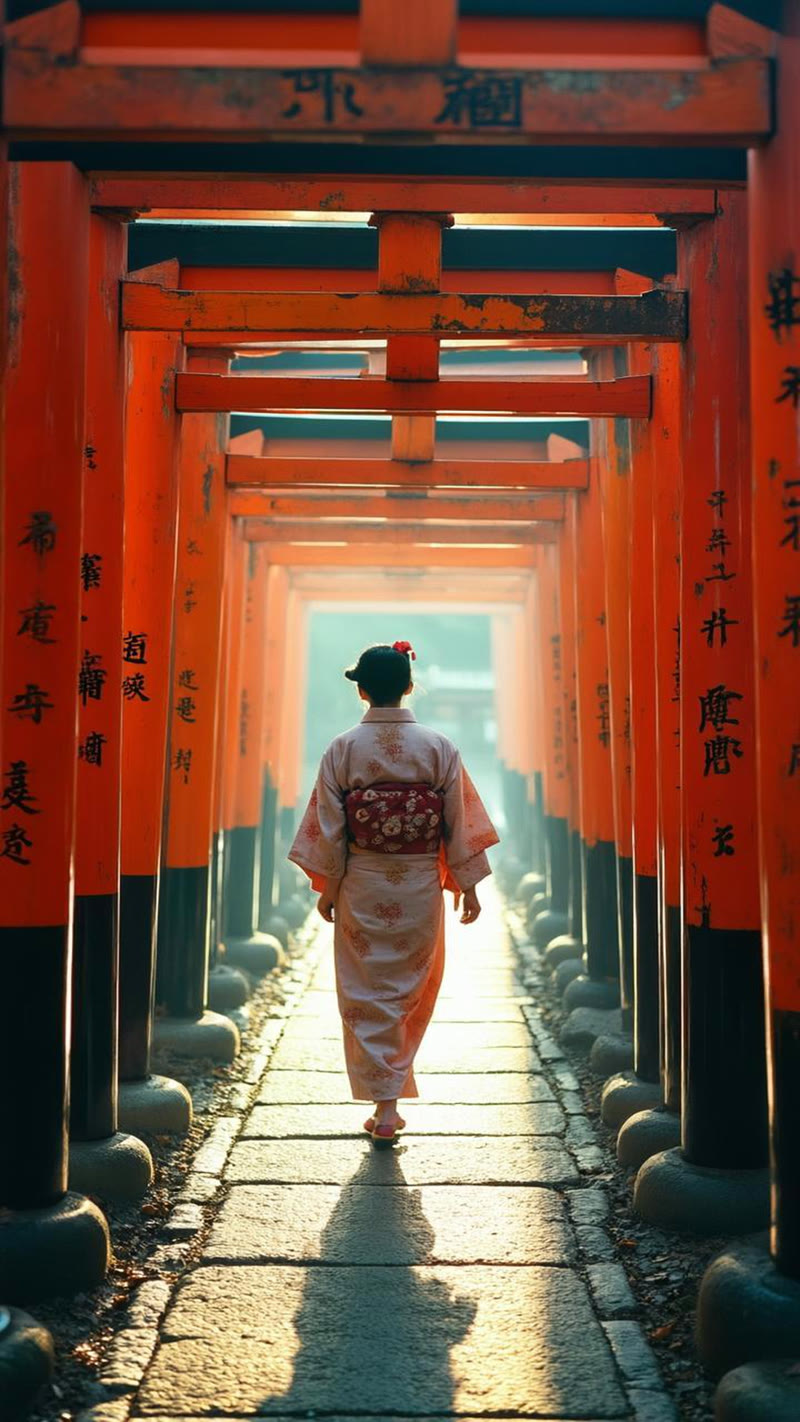
We ran three models through four Kyoto landmarks — Fushimi Inari, Kinkaku-ji, Arashiyama, and Gion — with prompts requesting 1970s Kodachrome film aesthetic: warm saturated midtones, vintage grain, amateur composition, and era-appropriate details. Same prompt, same day, direct comparison. Here's Fushimi Inari — the most revealing of the four:
▶ Animated — Vintage POV Reel Clips
These clips show the same images after Remotion rendering — with film grain, vignette, and slow drift animation applied.
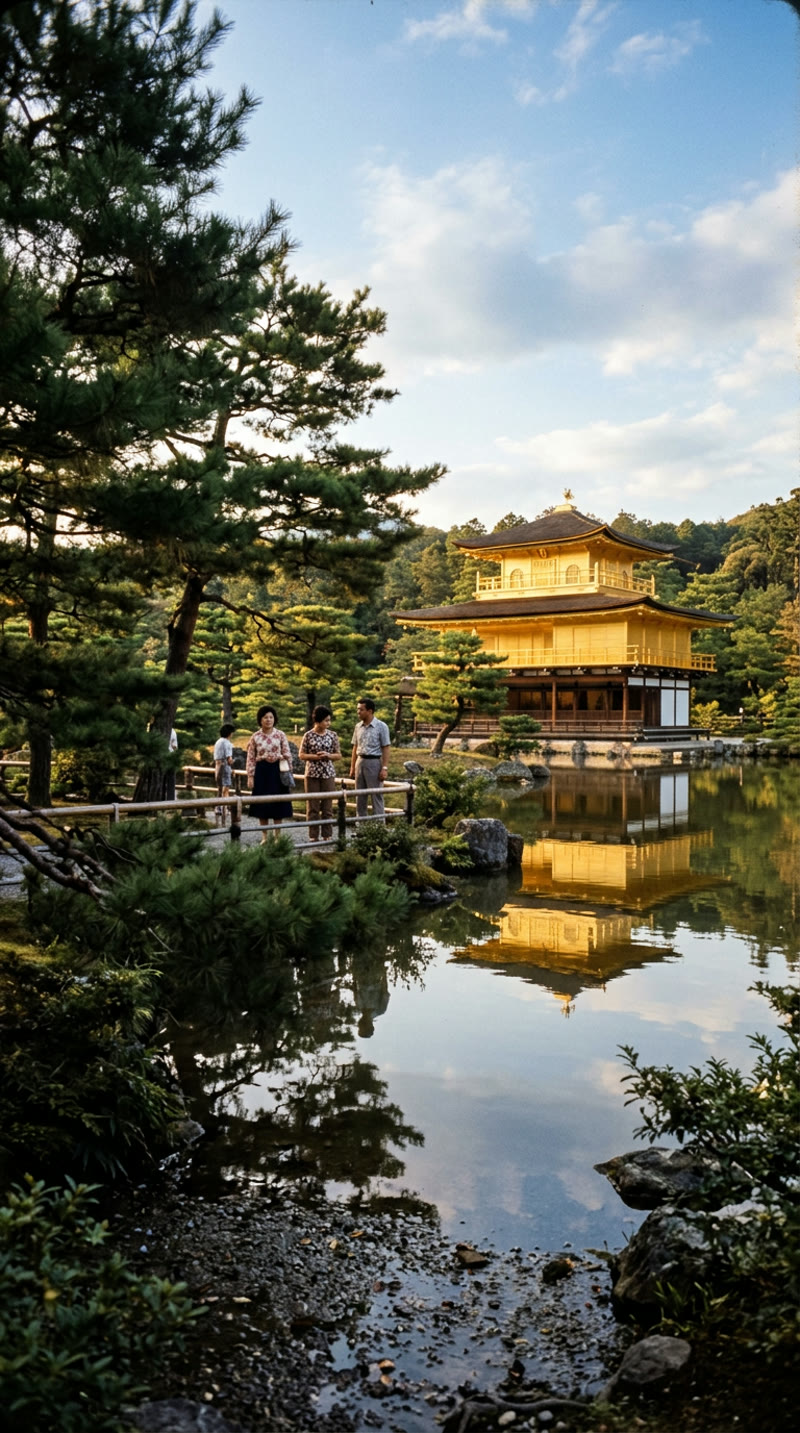
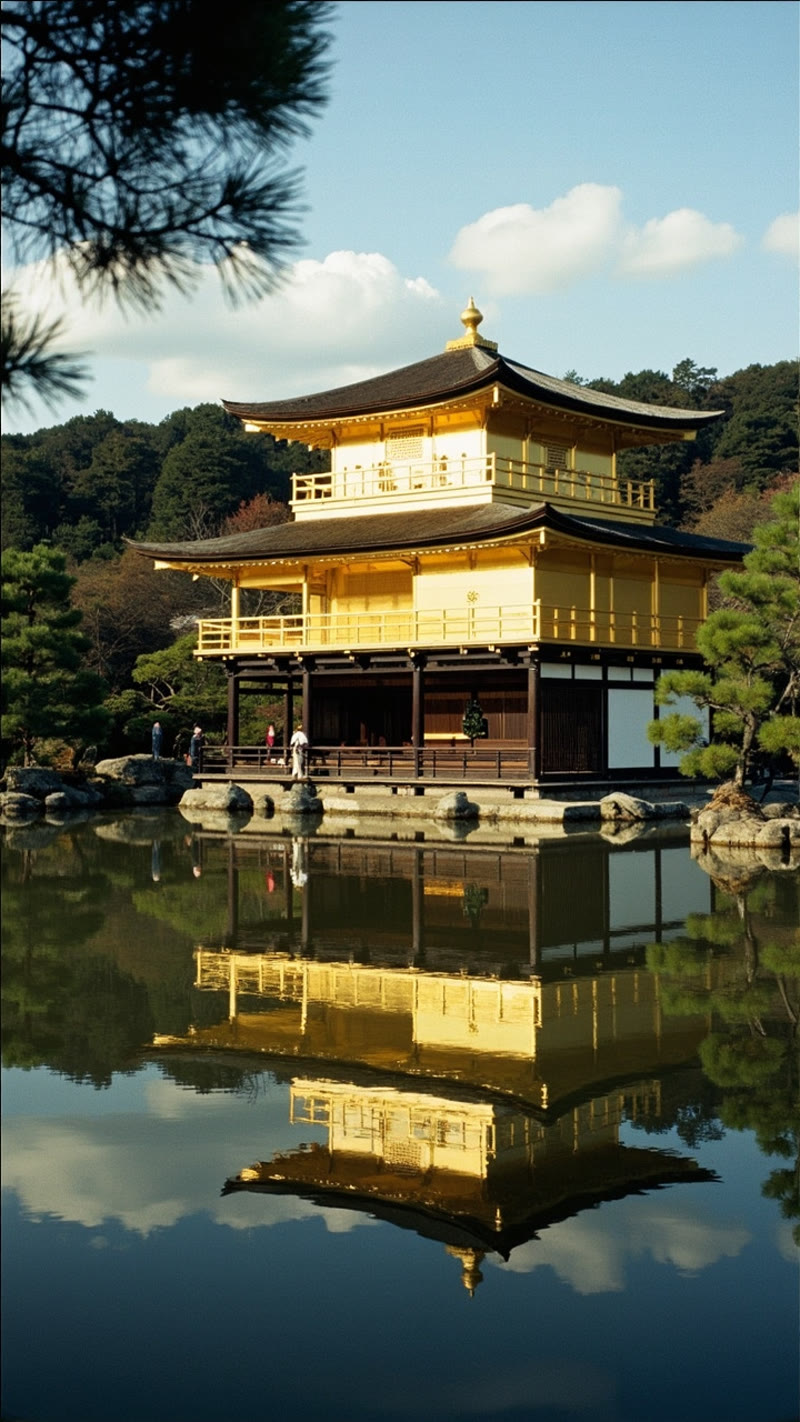
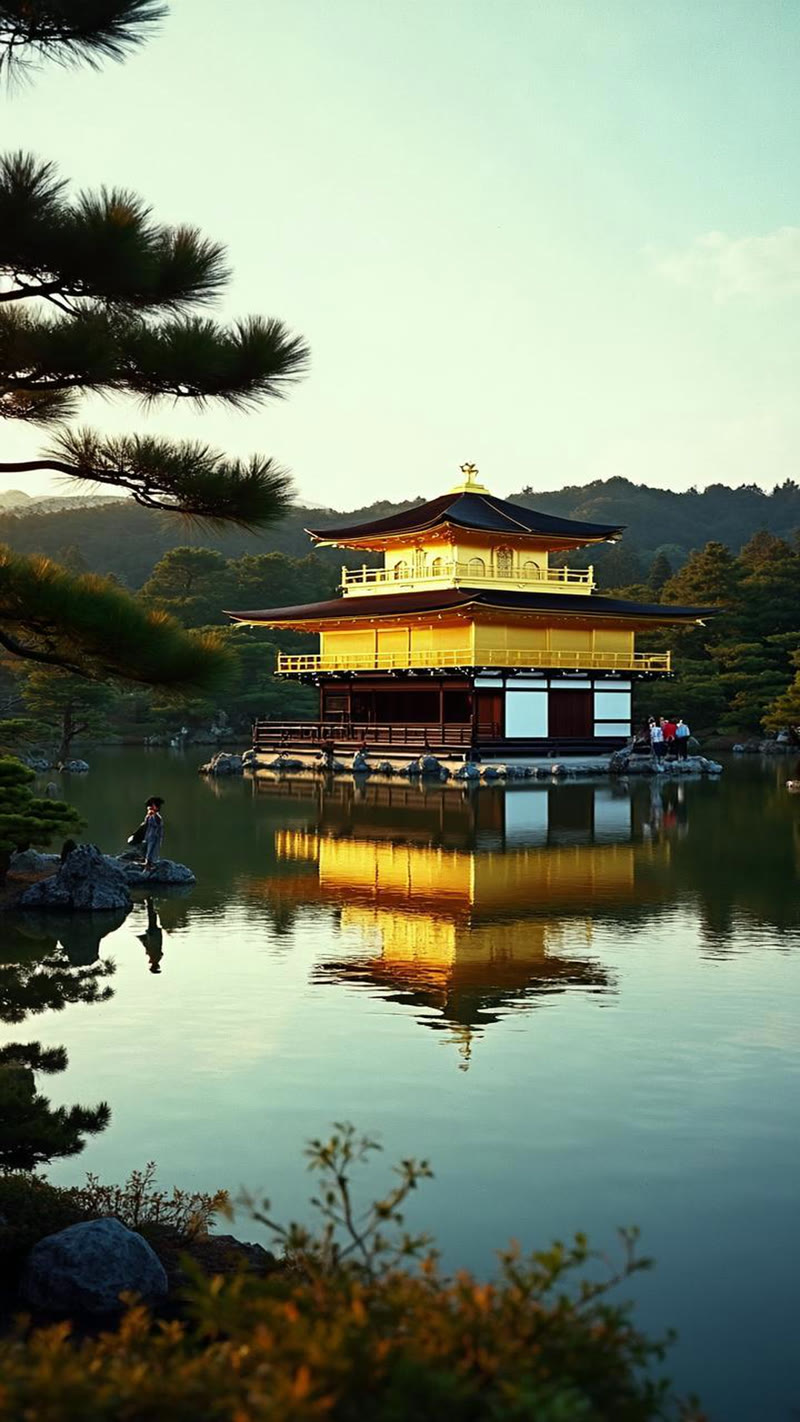
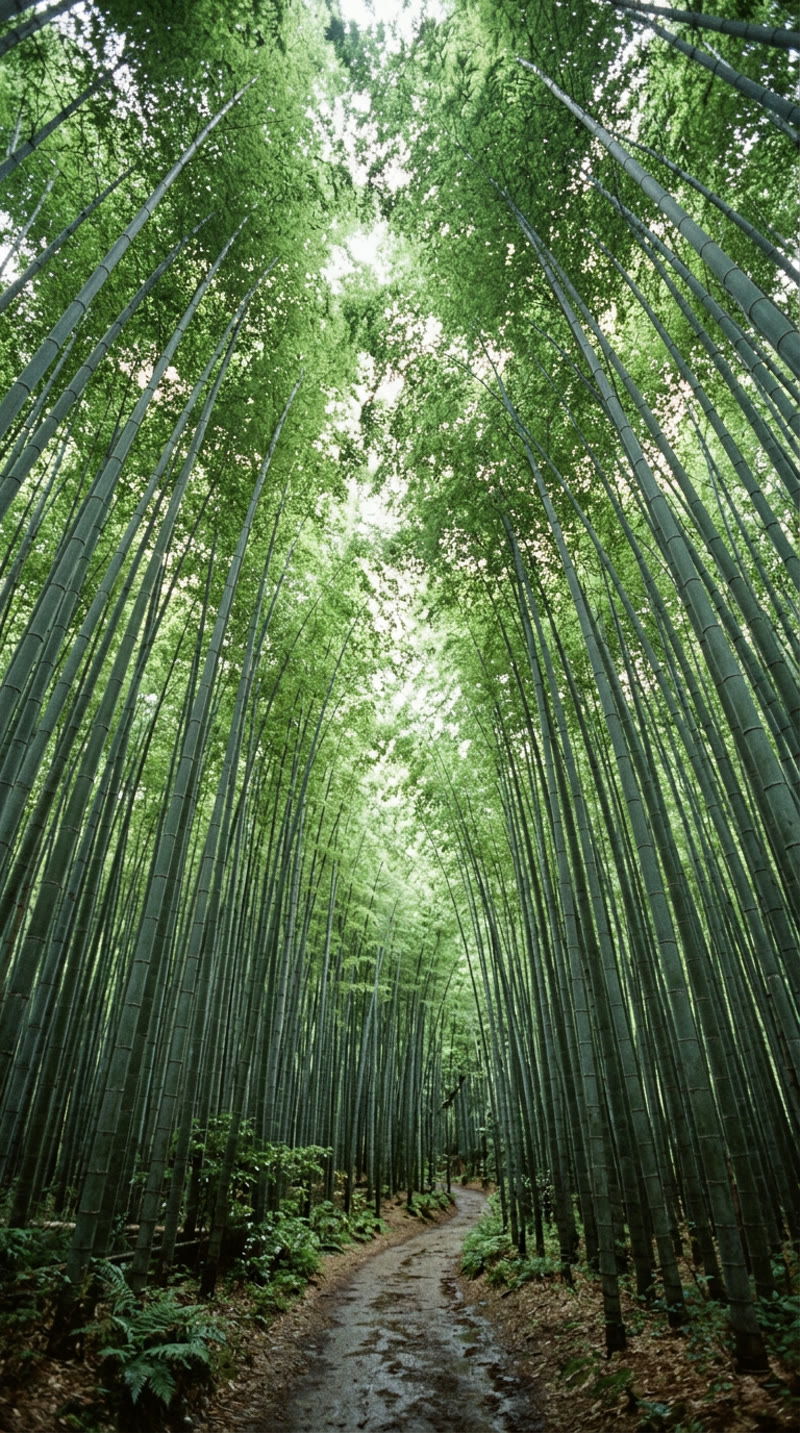
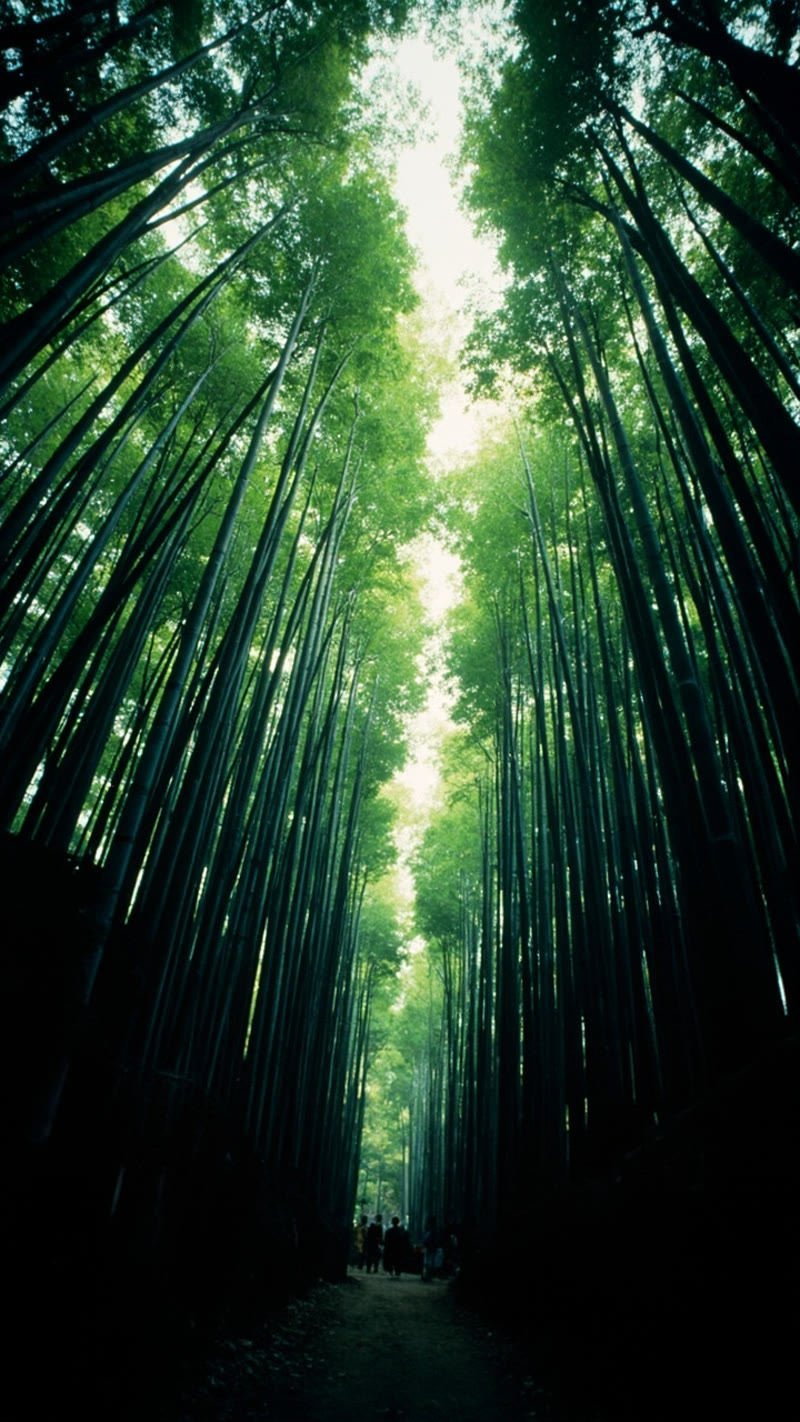
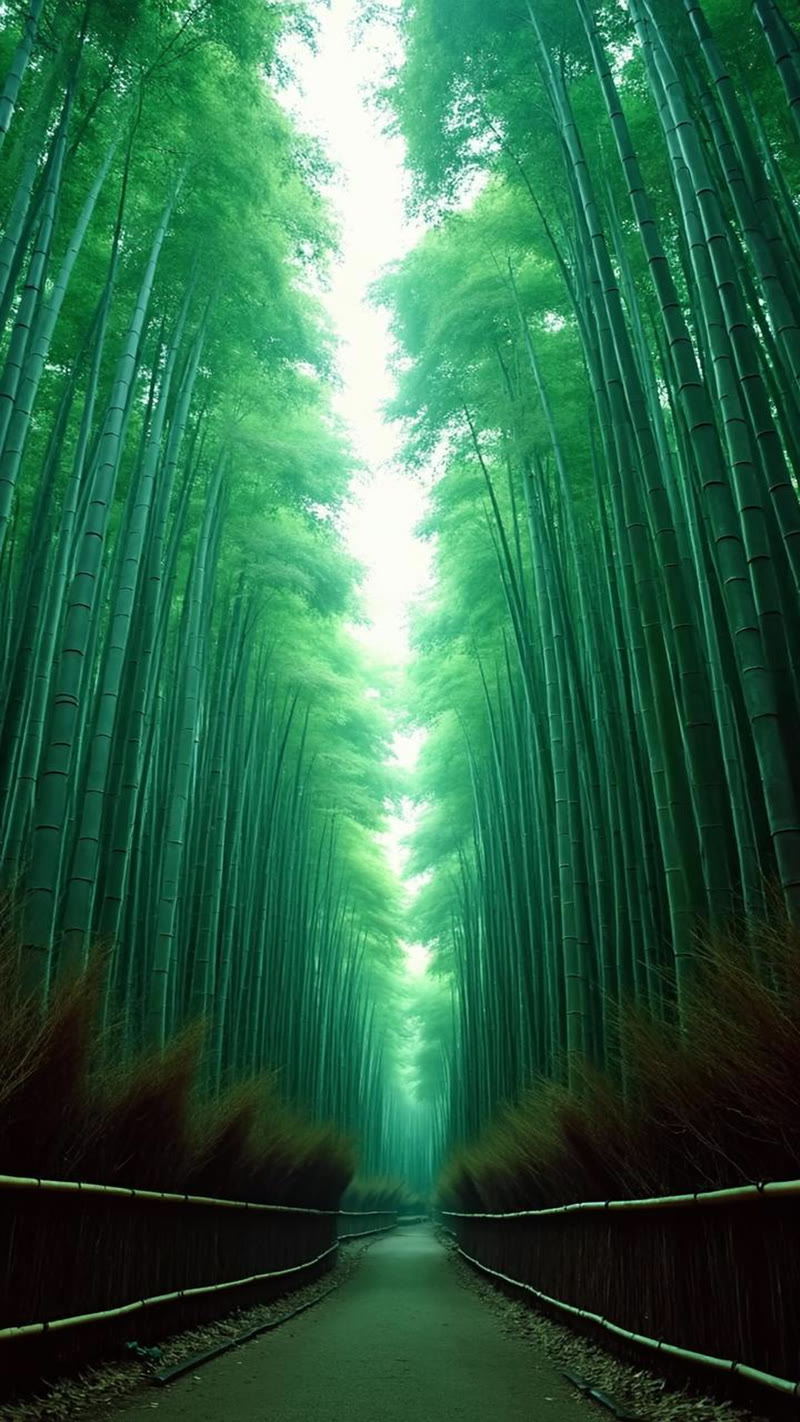
The pattern was consistent across all four landmarks. Nano Banana 2 produced the most convincing vintage imagery every time — correct Kodachrome warm tones, legible Japanese kanji (you can read "奉" and "納" at Fushimi Inari), authentic amateur composition, and proper architectural proportions. MiniMax had beautiful color science but consistently ignored POV instructions and produced compositions too polished for a tourist snapshot. CogView-4 defaulted to modern cinematic aesthetics regardless of the prompt — orange-teal color grading, HDR dynamic range, garbled kanji.
Here are Kinkaku-ji and Arashiyama — the same story:
▶ Animated — Kinkaku-ji Reel Clips
▶ Animated — Arashiyama Reel Clips
The Black & White Test That Broke Two Models
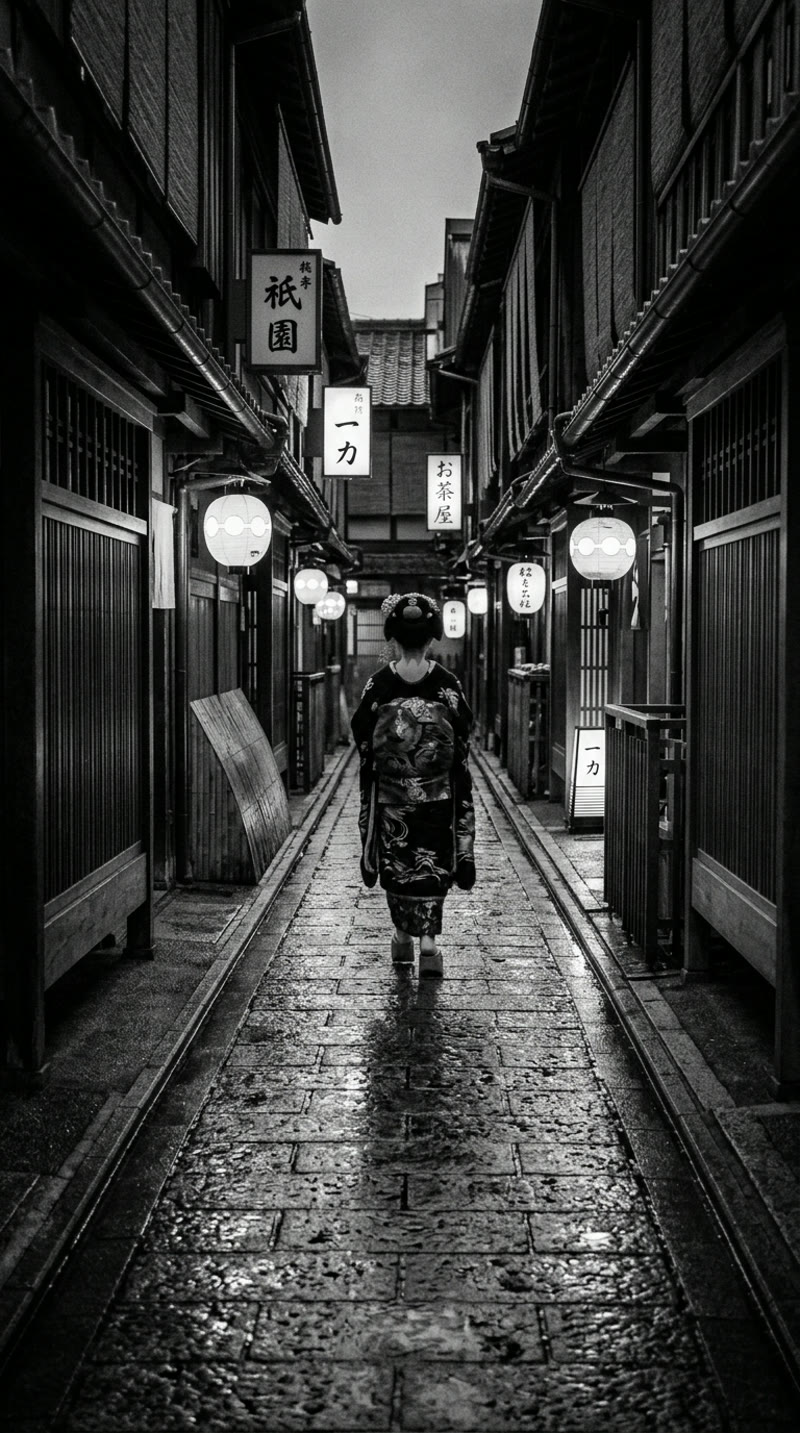
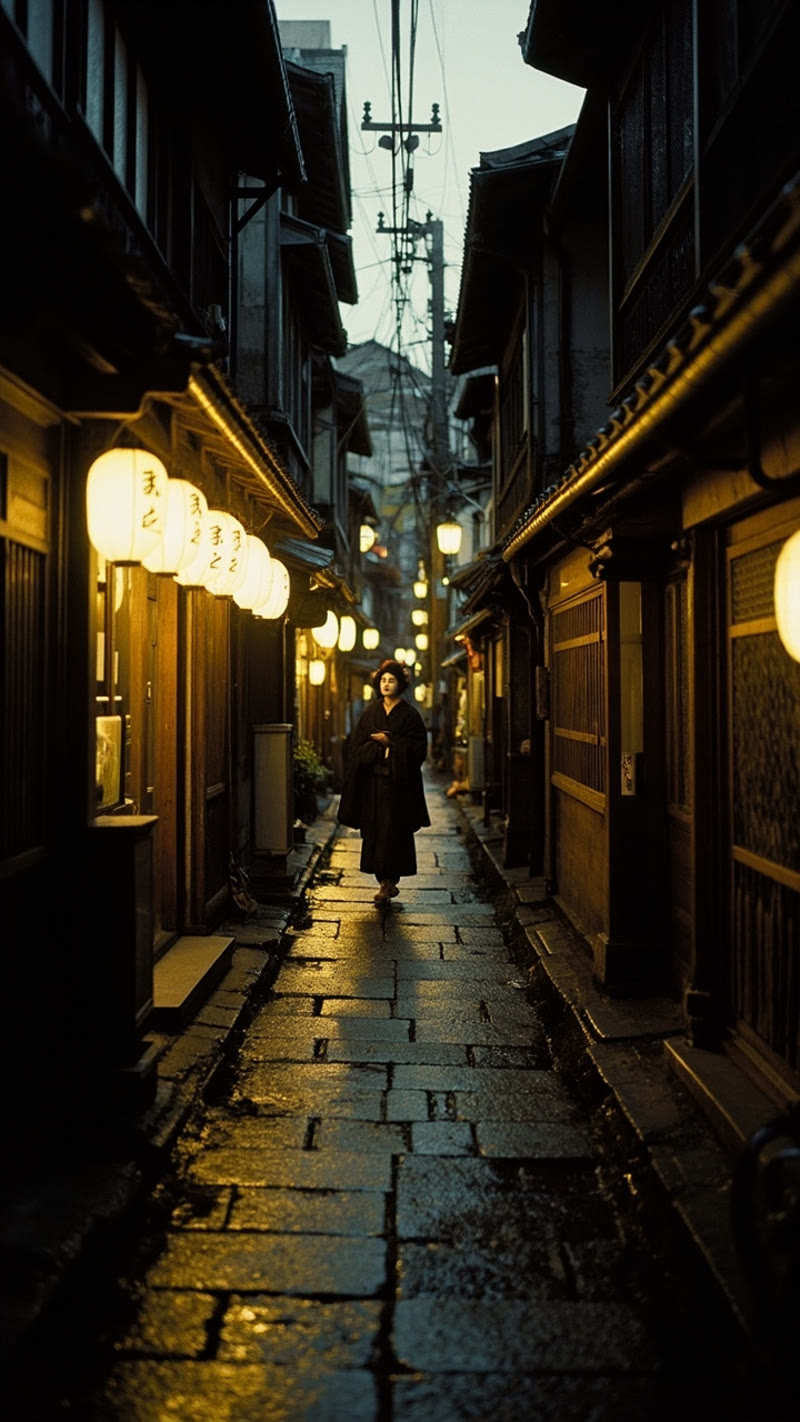
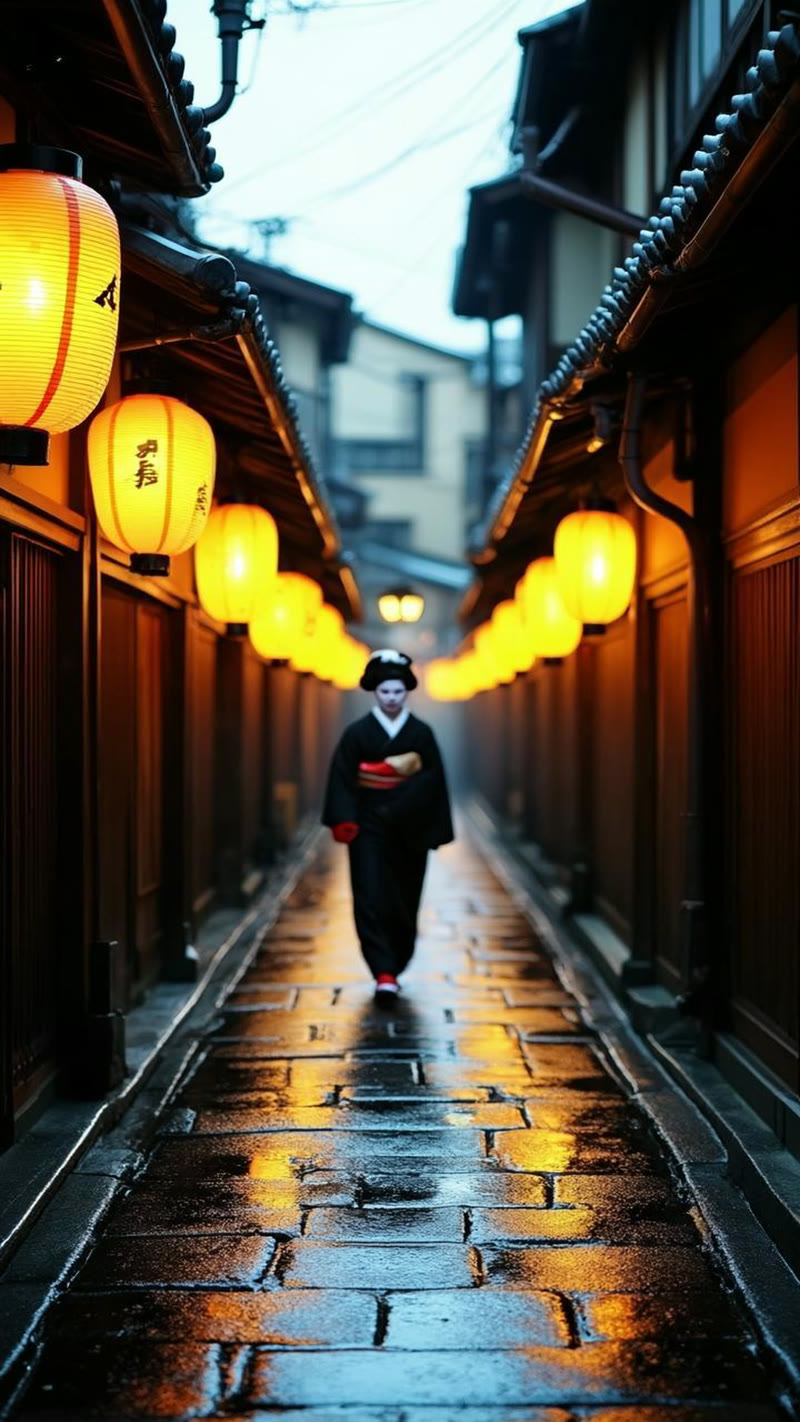
This was the most revealing test in our entire benchmark. We asked for "absolutely no color whatsoever, silver gelatin print" — a geisha walking through Gion's lantern-lit streets at dusk, shot on black and white film.
▶ Animated — Gion Evening Reel Clips
Nano Banana 2 delivered a stunning silver gelatin print. Pure monochrome, zero color bleed. Deep inky blacks in the machiya facades, luminous lantern highlights, visible grain consistent with Tri-X film stock. The kind of image you'd expect in a Daidō Moriyama photobook.
MiniMax rendered in full color. Warm amber lanterns, teal shadows. Attractive? Sure. But the prompt said "absolutely no color whatsoever." It ignored that completely.
CogView-4 was the worst offender. Bright orange lanterns, vivid red obi accents, warm pavement reflections. Not just "not black and white" — aggressively, blatantly colorful.
Prompt adherence is the single most important differentiator between AI image models. Most models produce decent images. Only some actually do what you ask. When we said "black and white," Nano Banana 2 gave us black and white. The other two gave us whatever they felt like.
Test 2: Phone Camera Realism — Verona
Vintage film is one use case. The other half of our pipeline needs images that pass as real iPhone photos — handheld grain, natural depth of field, authentic crowd behavior, legible signage. For this test, we added GPT (DALL-E 3) and Grok (Aurora) while dropping CogView-4. Two prompts, four models, eight images.
Which AI model handles crowd scenes best?
Prompt: An exhausted female tourist photographed from behind in a dense crowd outside Casa di Giulietta in Verona. iPhone photo quality — handheld, natural grain, depth of field, motion blur. Juliet's bronze statue visible ahead. Tourist overwhelm is palpable.
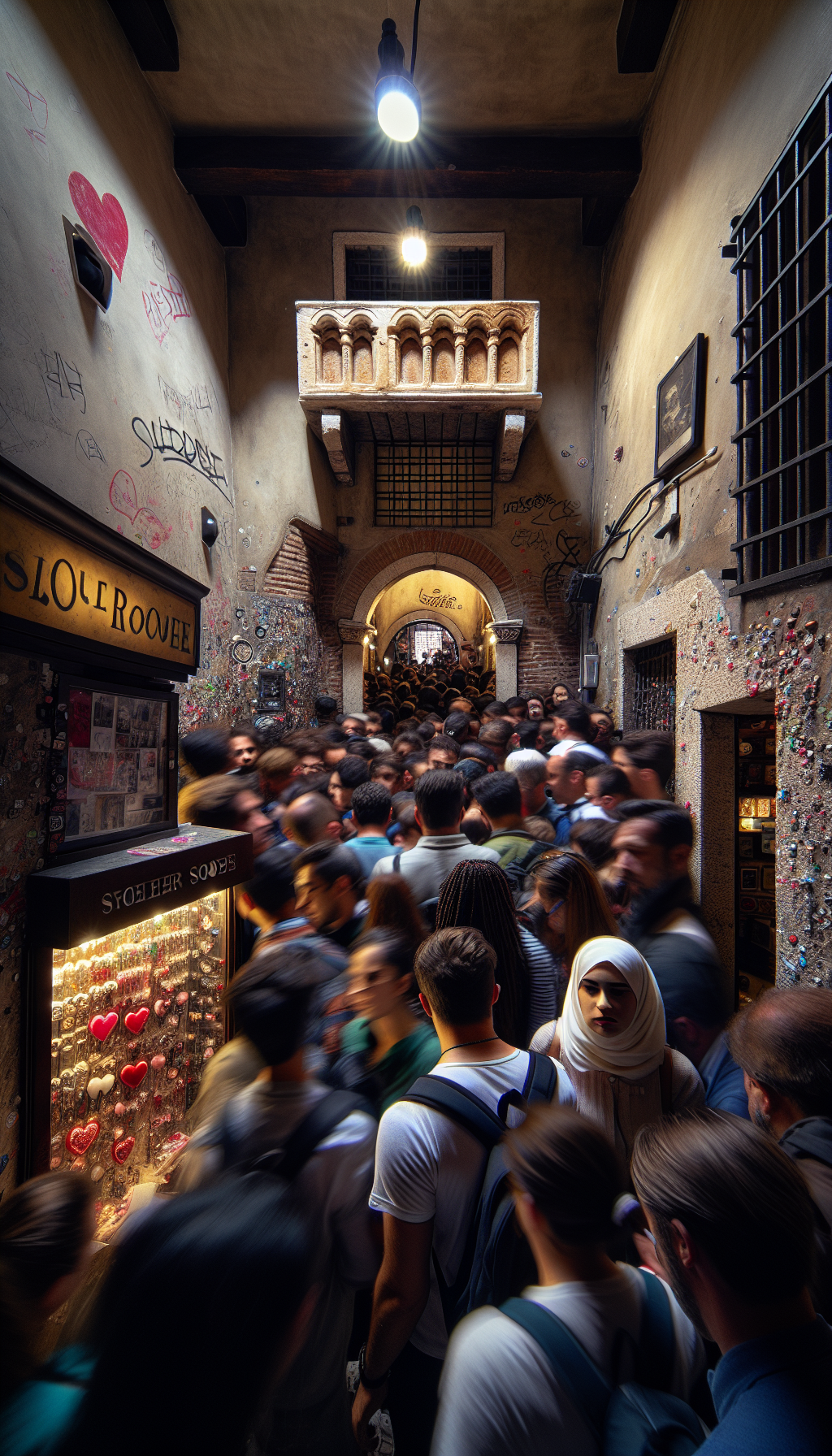
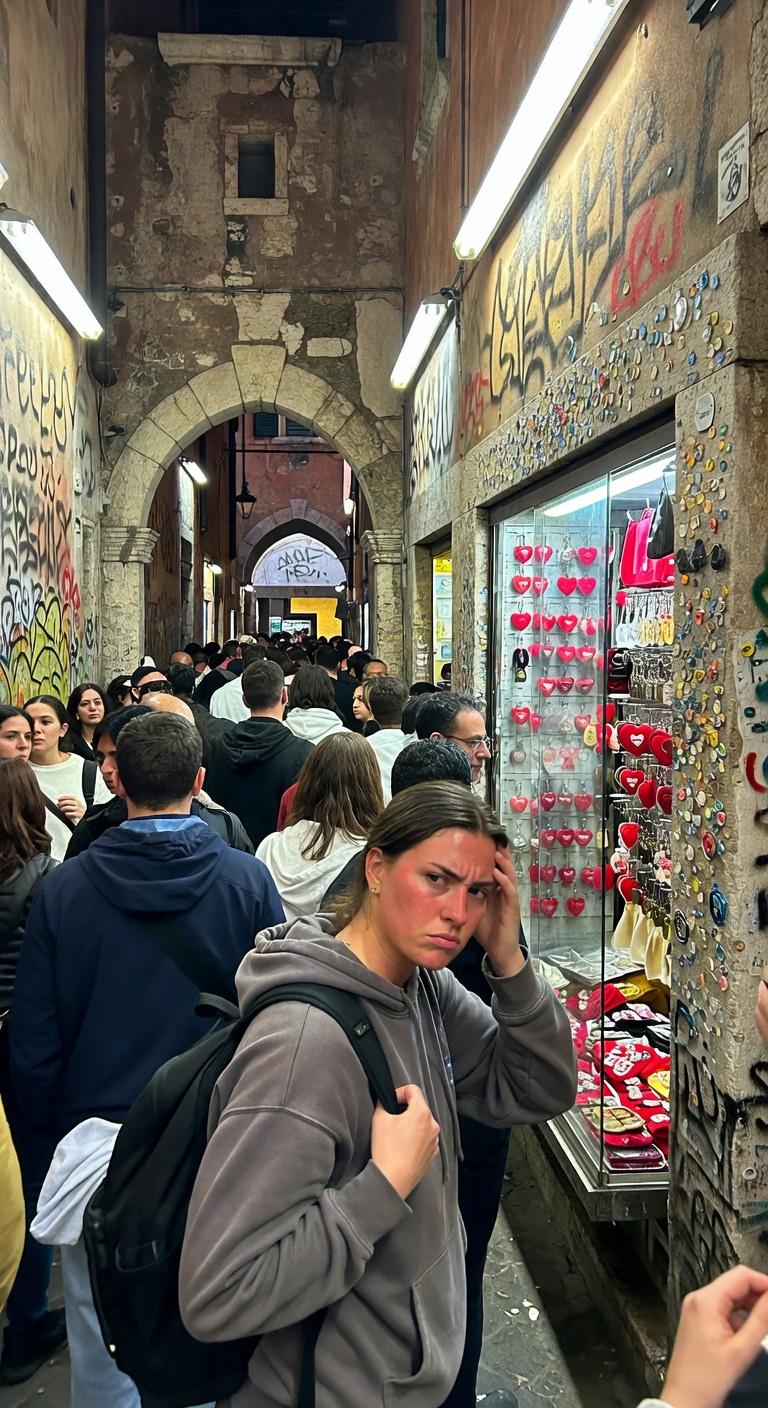
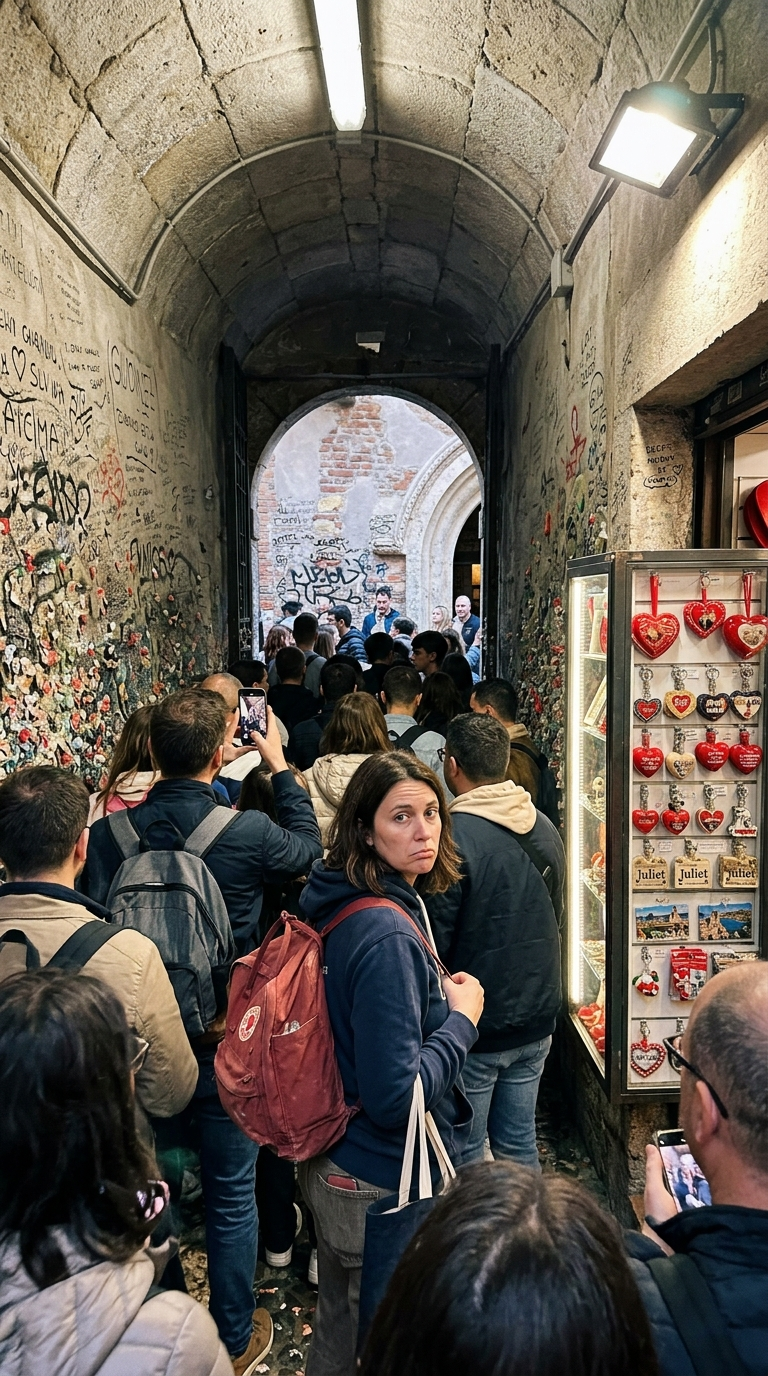
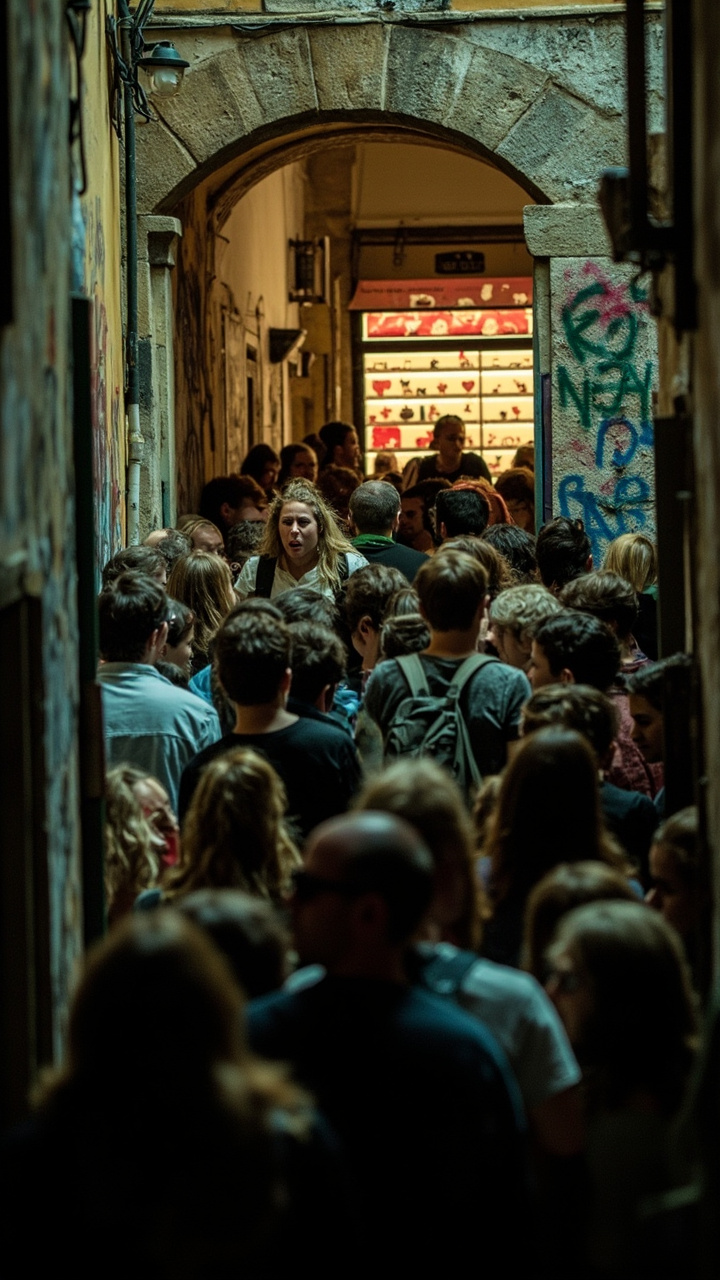
Nano Banana 2 won decisively (9/10). The most photorealistic result — "Juliet" text on souvenirs is legible, the Fjällräven backpack logo on the main subject is rendered correctly (the model knew the specific brand), and a person holding a phone in the foreground adds authentic casual detail. Hardest to identify as AI.
Grok Aurora came close (8.5/10). The exhausted woman is incredibly expressive and natural — best emotional storytelling of any model. Some face dissolution in deeper crowd, but the focal subject is flawless.
MiniMax (7/10) was too dark — bokeh and lighting read as Sony A7III, not iPhone. The scene looks like a dangerous alley, not a tourist trap. GPT (6/10) garbled all sign text ("SLOLEROCVEE" instead of readable Italian) and produced porcelain-smooth faces immediately identifiable as AI.
Is GPT good for portrait-style travel photos?
Prompt: Two Italian men in their 50s laughing and drinking wine at an outdoor café in Piazza delle Erbe, Verona. Candid iPhone shot — natural light, movement blur, authentic body language. Amarone bottle visible. Medieval tower in background.
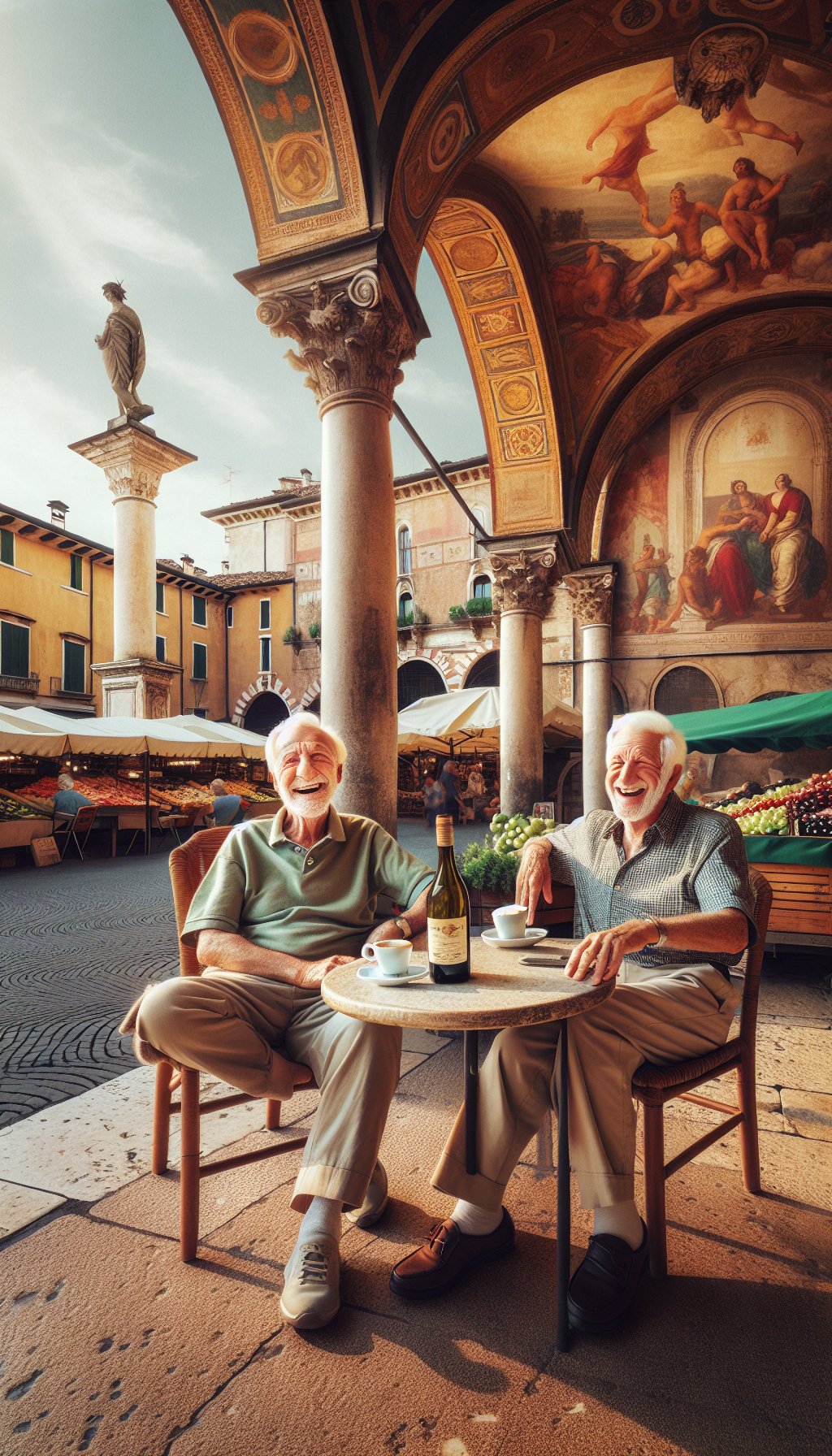
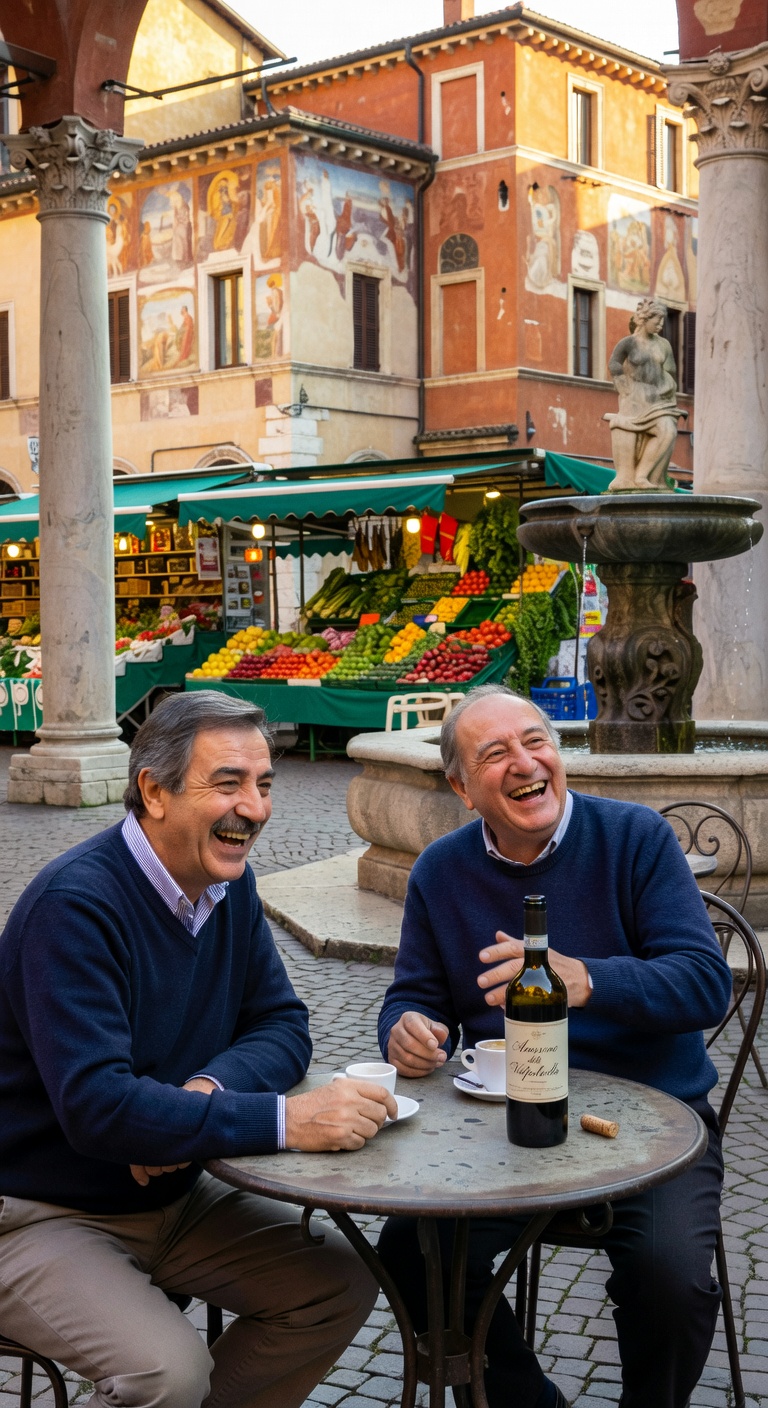
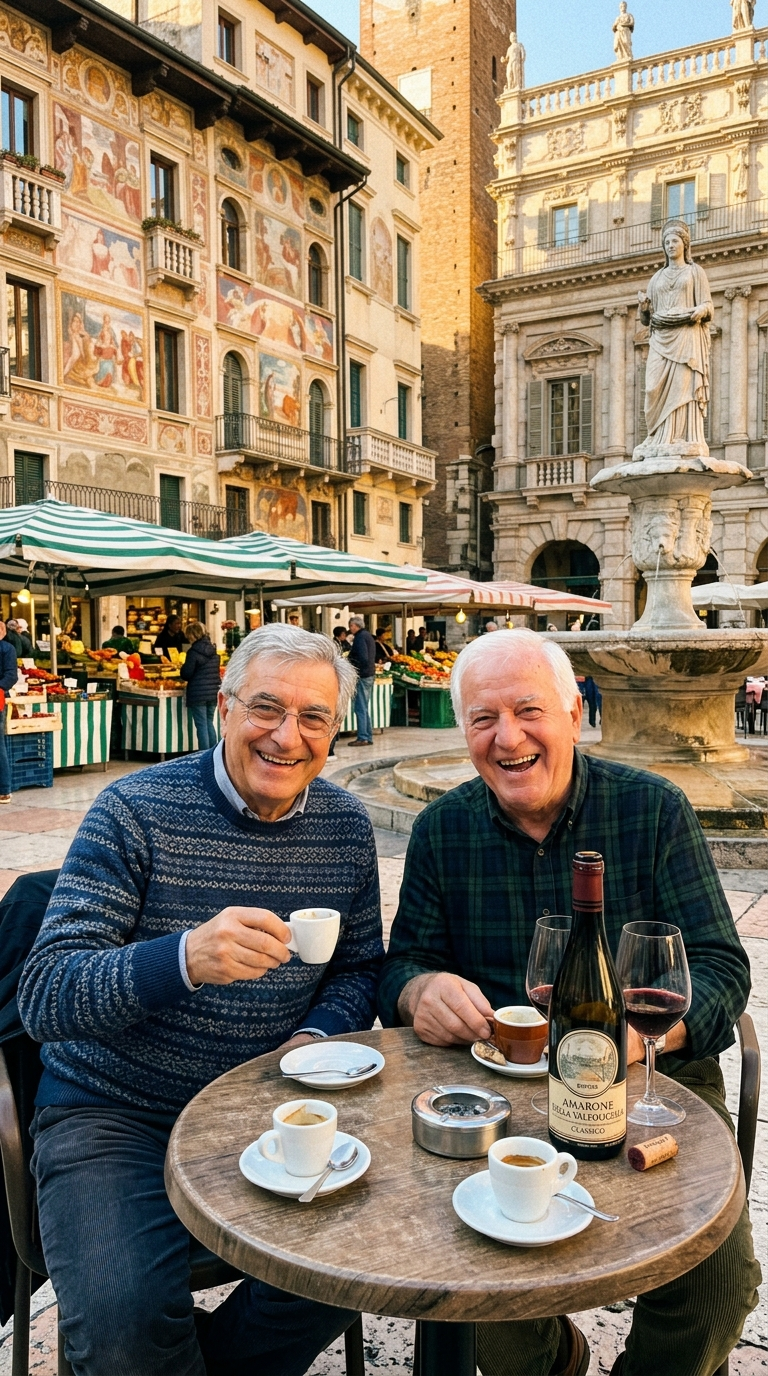
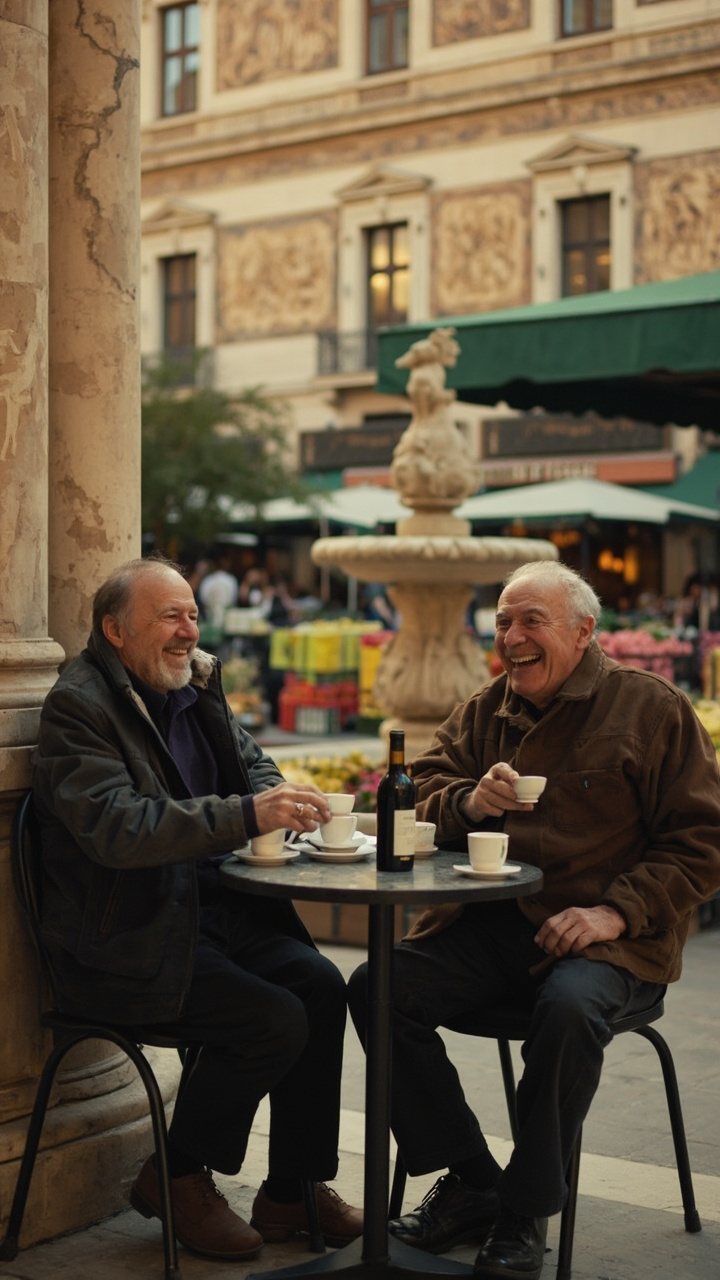
MiniMax won this round (8/10). Most photographically convincing — the men look like real, specific humans rather than generically "Italian-looking" AI faces. Natural lighting, documentary feel, intimate mood. MiniMax's cinematic tendencies, which hurt it in crowd scenes, produced exactly the right result for portraits.
Grok (7/10) had the best authentic mood — natural laughter, convincingly Italian men. Minor tells: matching sweaters and missing wine glasses. Nano Banana 2 (6.5/10) had the best prompt adherence (legible Amarone label, wine glass + bottle present) but the scene felt staged. GPT (4/10) was dead last — over-saturated, hyper-rendered, immediately recognizable as AI.
📱 Key Finding: Different Models Win Different Scene Types
Nano Banana 2 dominates crowd and location scenes — text rendering, brand accuracy, and iPhone aesthetic make it the clear winner for anything with signage, landmarks, or branded items.
MiniMax dominates intimate people/portrait scenes — when the faces are the subject, MiniMax's human rendering is unmatched.
Grok is the strongest all-rounder — close second in both categories, best emotional storytelling overall. If you're picking one model for everything, pick Grok.
GPT/DALL-E 3 is dead last for photorealism. Garbled text, over-rendered aesthetics, and uncanny faces make it unsuitable for content that needs to pass as real.
Prompt Engineering Makes or Breaks It
After the initial Kyoto round, we rewrote our prompts with much more specific technical detail. The improvement was dramatic — but only on models that actually listen.
- V1 (vague): "Shot on Kodachrome film, vintage feel"
- V2 (specific): "Warm saturated midtones, slightly cool shadows, limited dynamic range with clipped highlights and blocked shadows. Include scan artifacts: dust specks, hair, scratches. Amateur composition, slightly off-center. Chromatic aberration, lens softness at edges. No borders, no frame edges."
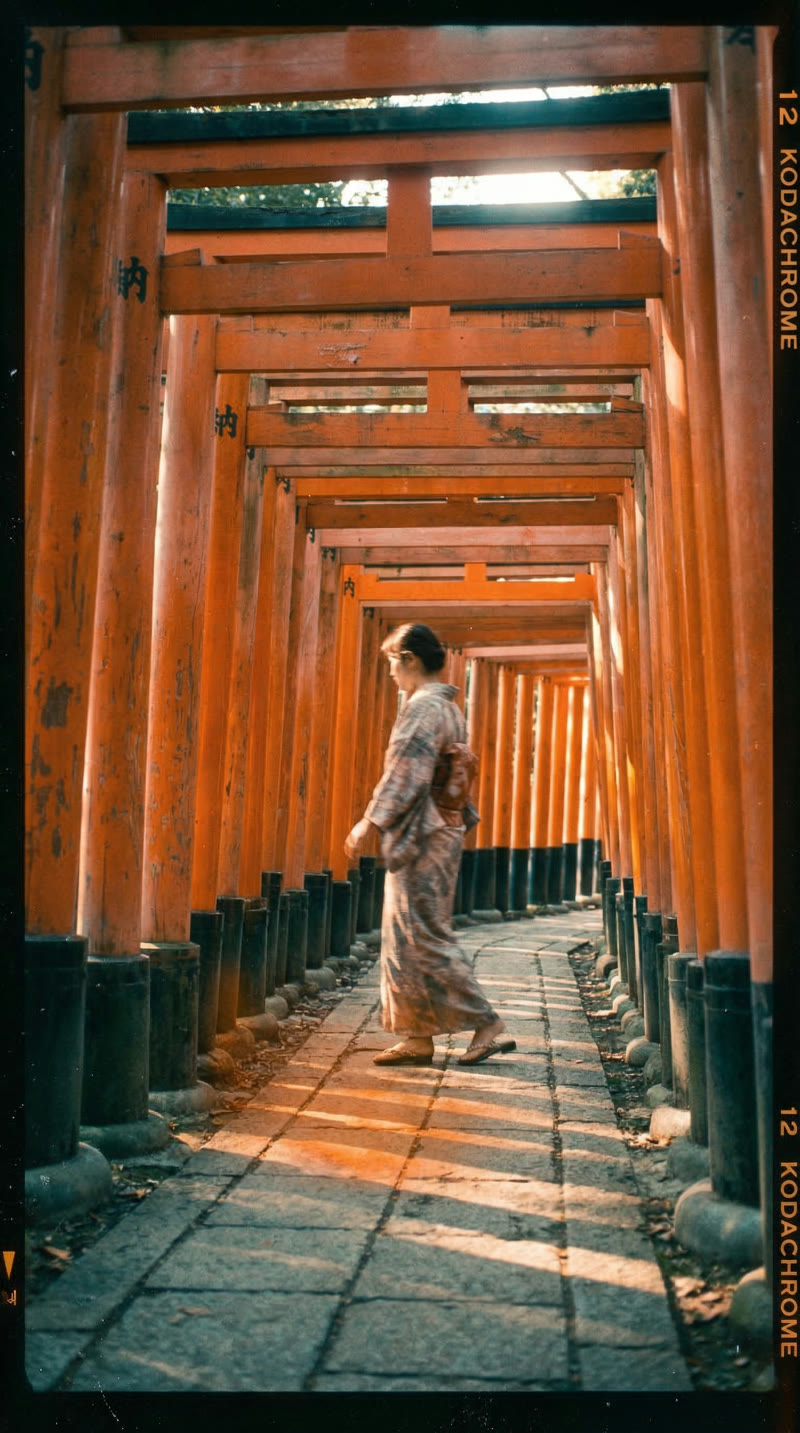
The V2 version is dramatically more convincing. Nano Banana 2 responded by adding Kodachrome film rebate markings along the frame edge — "12 KODACHROME" in the characteristic orange-on-black typography, with frame numbers and orientation arrows. These are technically accurate references to how real Kodachrome slides look when scanned from their original mounts. The grain also became exposure-dependent (clumping in shadows, finer in highlights) — exactly how real silver halide crystals behave on actual film.
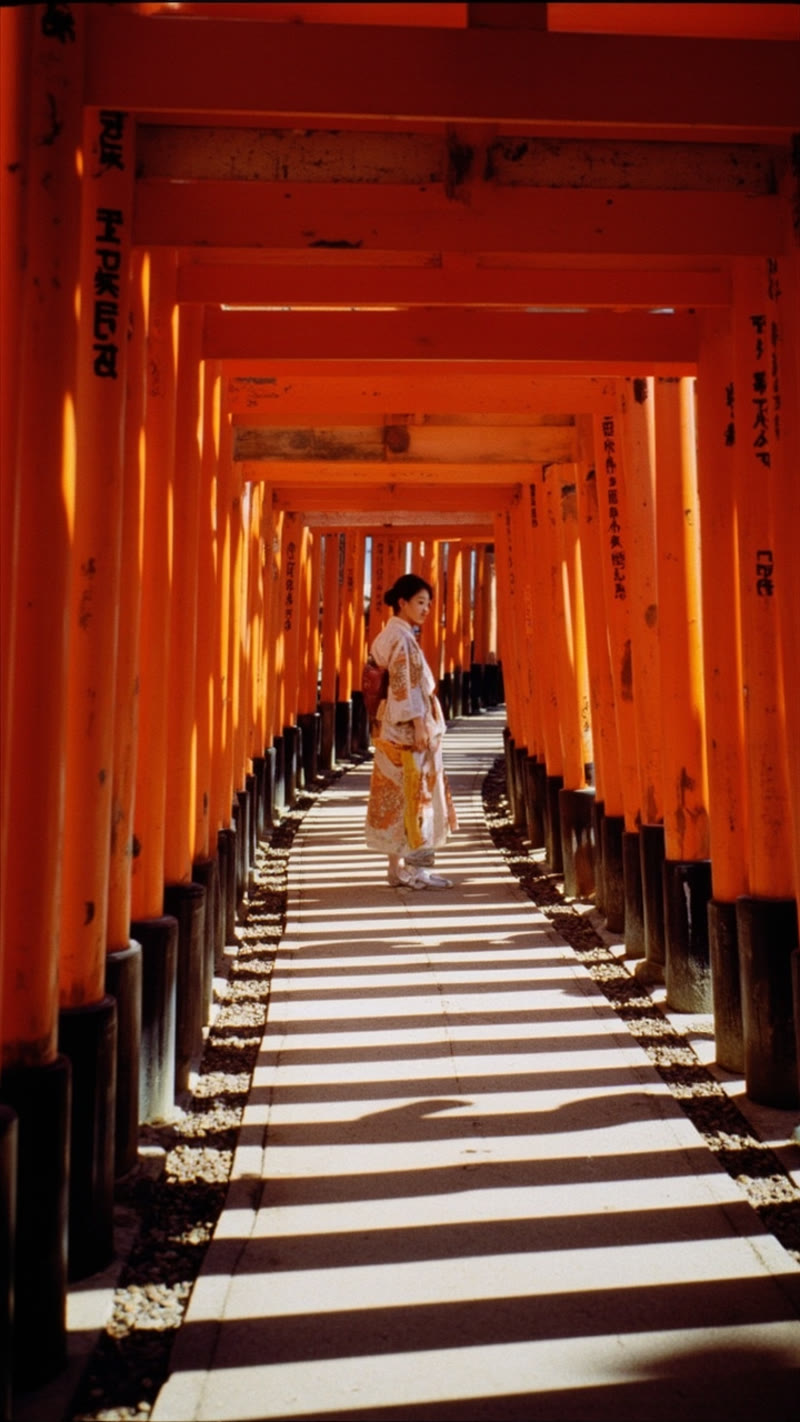
MiniMax improved moderately — warmer tones, a subtle light leak — but couldn't produce the physical film artifacts that V2 prompts requested. No border markings, no scan lines, no stock-specific text. Better prompts made it warmer and moodier, but couldn't make it look like actual film.
The gap between a lazy prompt and a detailed one is bigger than the gap between models. But only on models that actually follow instructions. Nano Banana 2's prompt engineering ceiling is virtually unlimited. MiniMax improves incrementally. CogView-4 largely ignores the details.
Combined Scorecard: All 5 Models
| Category | Nano Banana 2 | MiniMax | CogView-4 | Grok Aurora | GPT (DALL-E 3) |
|---|---|---|---|---|---|
| Prompt Adherence | 9.5/10 | 5/10 | 2/10 | 7/10 | 5/10 |
| Vintage Film | 8.8/10 | 5.9/10 | 3.6/10 | — | — |
| Crowd Scenes | 9/10 | 7/10 | — | 8.5/10 | 6/10 |
| People/Portraits | 6.5/10 | 8/10 | — | 7/10 | 4/10 |
| Text / Kanji Accuracy | 8/10 | 4/10 | 1.5/10 | 6/10 | 3/10 |
| Prompt Eng. Ceiling | 10/10 | 5/10 | 3/10 | 7/10 | 5/10 |
| Emotional Storytelling | 7/10 | 7/10 | 6/10 | 9/10 | 5/10 |
| Cost per Image | ~$0.02 | ~$0.04 | ~$0.02 | ~$0.07 | ~$0.04–$0.08 |
What to Use for What
After 26+ images across 5 models, here's the decision tree:
- Crowd scenes, landmarks, anything with text or signage → Nano Banana 2. Nothing else comes close for photorealism + text accuracy.
- Close-up portraits, people-focused shots → MiniMax image-01. Best faces, most natural human rendering.
- All-rounder / only picking one model → Grok Aurora. Strong in both categories, best emotional storytelling.
- Vintage film photography → Nano Banana 2. The only model that treats stylistic constraints as instructions.
- Generic social media / "just make it look good" → Grok or MiniMax. Both produce visually striking content without much prompt engineering.
- Content with CJK text (Japanese, Chinese, Korean) → Nano Banana 2. Only reliable option for correct text rendering.
- Not recommended: GPT/DALL-E 3 for anything that needs to pass as a real photo. Over-rendered aesthetic is immediately identifiable as AI.
- Not recommended: CogView-4 for anything requiring stylistic control. Beautiful cinematic images, but ignores what you ask for.
Pricing Comparison
| Factor | Nano Banana 2 | MiniMax | CogView-4 | Grok Aurora | GPT (DALL-E 3) |
|---|---|---|---|---|---|
| Cost per image | ~$0.02 | ~$0.04 | ~$0.02 | ~$0.07 | ~$0.04–$0.08 |
| 6-image Reel cost | ~$0.12 | ~$0.24 | ~$0.12 | ~$0.42 | ~$0.24–$0.48 |
| Max resolution | Up to 4K | Up to 2K | 720×1440 | Up to 2K | 1024×1792 |
| Free tier | Yes (Gemini API) | Limited | Limited | Limited | No |
| API complexity | Moderate (SDK) | Simple REST | Simple REST | Simple REST | Simple REST |
| Latency | ~8–15s | ~10–20s | ~15–25s | ~10–15s | ~10–20s |
Nano Banana 2 wins on price-to-quality ratio. Same cost as CogView-4 with dramatically better results. Less than half the cost of Grok with comparable or better output for most use cases. The Gemini API free tier means you can experiment before spending anything.
How to Use These Models (Code Examples)
All five models are accessible via API. Here's how to call each one.
Nano Banana 2 (Google Gemini 3.1 Flash Image)
import google.generativeai as genai

genai.configure(api_key="YOUR_GEMINI_API_KEY")
model = genai.GenerativeModel("gemini-3.1-flash-image-preview")

response = model.generate_content(
    "A vintage 1970s Kodachrome photograph of Fushimi Inari torii gates. "
    "Warm saturated midtones, slightly cool shadows, limited dynamic range. "
    "Include scan artifacts: dust specks, scratches. Amateur composition.",
    generation_config=genai.GenerationConfig(
        response_modalities=["IMAGE", "TEXT"]
    )
)

# Save the image
for part in response.candidates[0].content.parts:
    if part.inline_data:
        with open("output.png", "wb") as f:
            f.write(part.inline_data.data)
MiniMax image-01
curl -X POST "https://api.minimax.chat/v1/image_generation" \
  -H "Authorization: Bearer YOUR_MINIMAX_KEY" \
  -H "Content-Type: application/json" \
  -d '{
    "model": "image-01",
    "prompt": "A vintage 1970s photograph of Fushimi Inari torii gates...",
    "aspect_ratio": "9:16",
    "response_format": "url"
  }'
CogView-4 (Z.AI)
curl -X POST "https://open.bigmodel.cn/api/paas/v4/images/generations" \
  -H "Authorization: Bearer YOUR_ZAI_KEY" \
  -H "Content-Type: application/json" \
  -d '{
    "model": "cogview-4-250304",
    "prompt": "A vintage 1970s photograph of Fushimi Inari torii gates...",
    "size": "720x1440"
  }'
Grok (xAI Aurora)
curl -X POST "https://api.x.ai/v1/images/generations" \
  -H "Authorization: Bearer YOUR_XAI_KEY" \
  -H "Content-Type: application/json" \
  -d '{
    "model": "grok-2-image-1212",
    "prompt": "Phone camera photo of exhausted tourist in crowd...",
    "n": 1,
    "response_format": "url"
  }'
GPT / DALL-E 3 (OpenAI)
curl -X POST "https://api.openai.com/v1/images/generations" \
  -H "Authorization: Bearer YOUR_OPENAI_KEY" \
  -H "Content-Type: application/json" \
  -d '{
    "model": "dall-e-3",
    "prompt": "Phone camera photo of exhausted tourist in crowd...",
    "n": 1,
    "size": "1024x1792",
    "quality": "standard"
  }'
For production use, start with Google AI Studio (free tier includes Gemini image generation) and experiment with detailed prompts before scaling up.
Full Reels: Side by Side
Numbers and screenshots only tell part of the story. Here are the complete assembled Reels — the actual final output of our vintage POV pipeline. Each Reel sequences all Kyoto scenes with Remotion-rendered film grain, vignette, slow drift animation, and text overlays.
Both Reels use identical Remotion compositions and timing. The only difference is the source images. Notice how Nano Banana 2's vintage authenticity carries through to the animated version — the film grain and warm tones feel cohesive, while MiniMax's modern rendering creates a subtle disconnect with the vintage effects layer.
Related Resources
- AI Video Generation Compared: Veo 3 vs MiniMax vs CogVideoX — our companion test of video models
- AI Music Generation Compared — testing music models for Reel soundtracks
- Sample Kyoto 5-Day Itinerary — see how we use AI-generated content in real itineraries
- All Resources — more travel tech comparisons and guides
All images in this comparison were generated from identical prompts on the same day (March 10, 2026). No post-processing was applied. The images shown are direct outputs from each model's API.